
How to Watch ITVX in Canada [2026 Guide]

You can watch ITVX in Canada by connecting to a UK server using a VPN. In this guide, I’ll show you exactly how to access ITVX from Canada, so you never miss your favorite British shows again.
Recently, I wanted to watch “Gone”, a gripping series available exclusively on ITVX.
But when I tried to stream it from Calgary, Canada, I was greeted with an error message instead of the episode. Here’s what happened:

This happens because of my Canadian IP address, since ITV has a content licensing to offer streaming only in the UK.
But, I was still able to watch the show on ITV Hub (ITVX) in Canada with the help of a VPN.
By connecting to the UK server using a VPN, you can trick the ITVX into believing that you are in the UK instead of Canada despite the geo-blocking issues.
Want to know how? Keep reading this blog!
Quick Steps to Watch ITVX in Canada:
Follow these quick steps to watch ITVX in Canada:
- Download and install a VPN. I highly recommend ExpressVPN and NordVPN.
- Connect to a UK location and visit ITVX website.
- Sign up or log in to start streaming your favorite British shows.
What is ITVX? Everything You Need to Know!
ITVX is the United Kingdom’s leading free streaming service, run by ITV plc, the country’s oldest and largest commercial broadcaster. It launched in December 2022 as a complete rebrand of ITV Hub, bringing a bigger content library, exclusive originals, and a cleaner experience.
Here’s what you get on ITVX:
- Live streams of six ITV channels: ITV1, ITV2, ITV3, ITV4, ITVBe, and CITV
- 15,000+ hours of on-demand British drama, reality TV, documentaries, soaps, and comedy
- ITVX Originals: exclusive shows you can’t find on any other platform
- 100% free on the ad-supported tier, no credit card or subscription needed
- ITVX Premium: an optional paid upgrade for ad-free viewing and bonus content
- Disney+ content: since July 2025, ITVX features selected Disney+, Hulu, FX titles including The Bear, Andor, Only Murders in the Building, The Kardashians, and family content like Phineas and Ferb as part of a content-sharing deal
Note: ITV Hub and ITVX are the same service. ITV Hub officially rebranded to ITVX in December 2022. If you used ITV Hub before, your existing login still works.
How to Watch ITVX in Canada for Free (Detailed Steps)
Here’s how to access and watch ITVX in Canada for completely free by using ExpressVPN, NordVPN or Surfshark 30-day money back guarantee:
Step 1: First download and subscribe to a reliable streaming VPN — I highly recommend ExpressVPN.
Step 2: Now open the VPN app, sign in and connect to the UK server.
Step 3: Make sure that your device location is off.
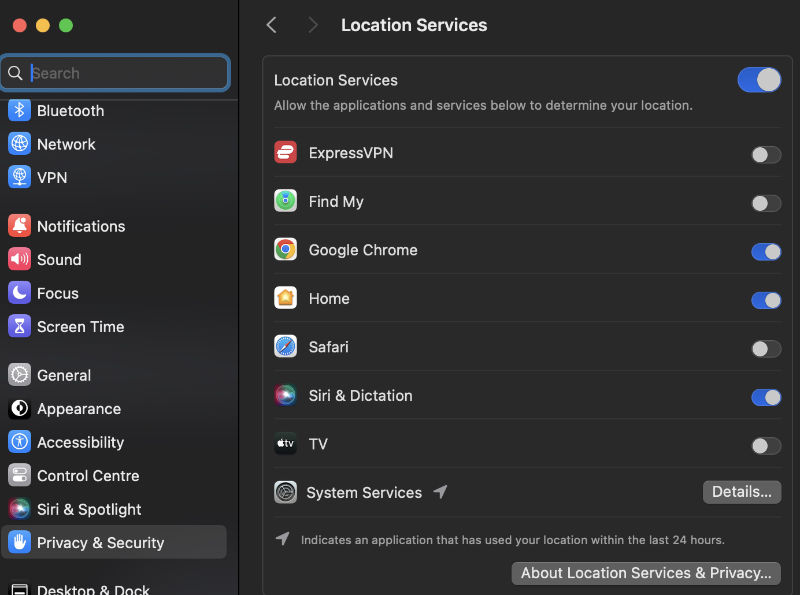
Step 4: Visit ITVX, and click on the sign in/sign up icon.

Step 5: Enter your email address and click continue.
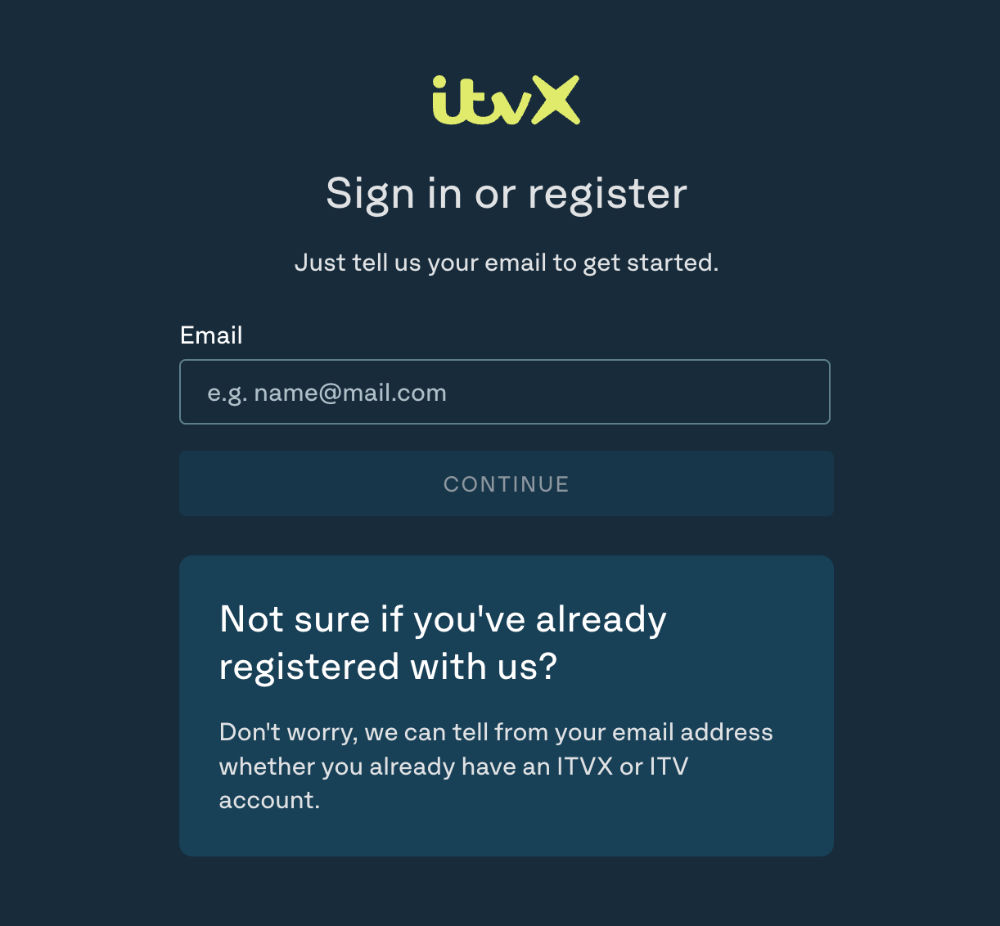
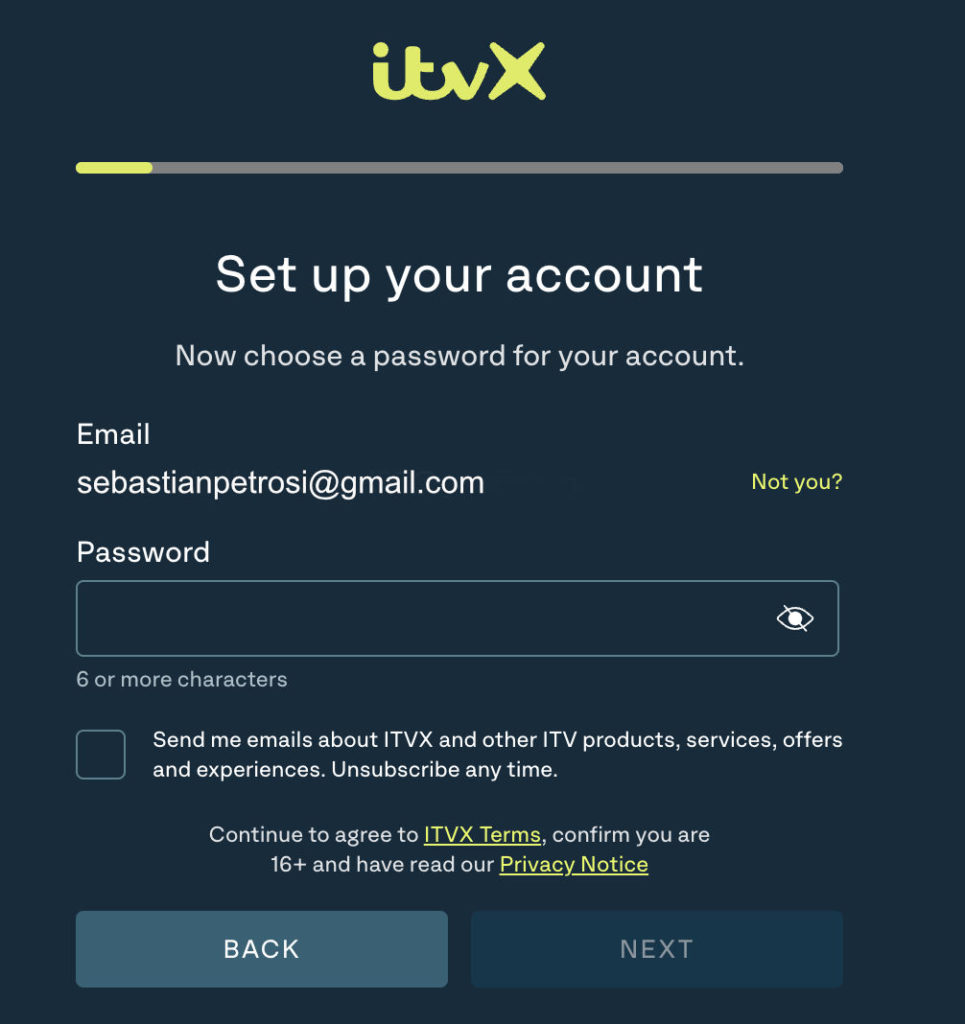
Step 6: Now enter your new password and click next.
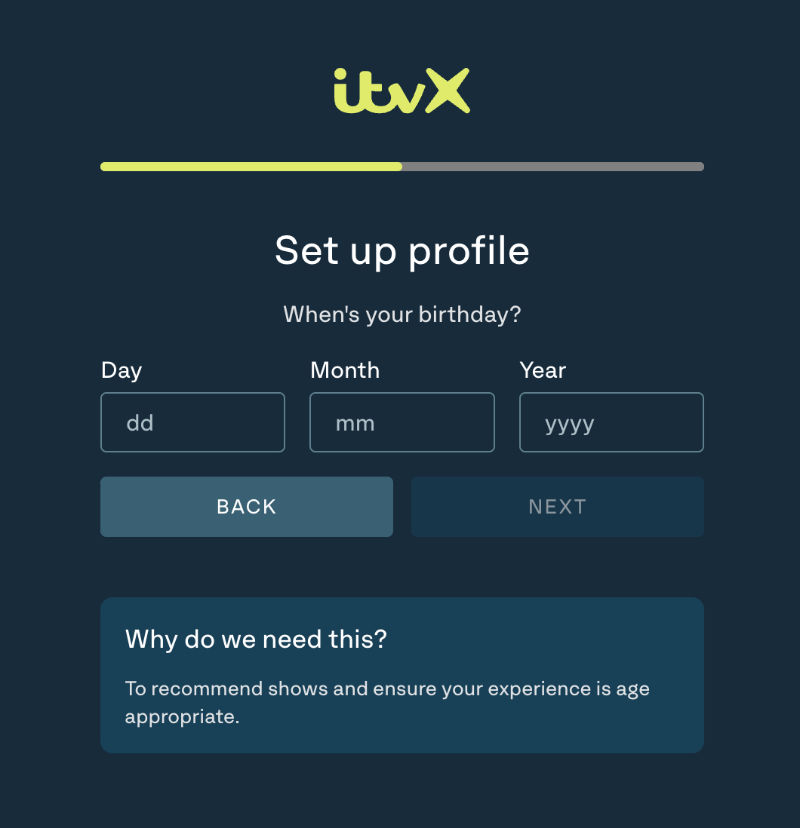
Step 7: Next up, enter your date of birth and click continue.
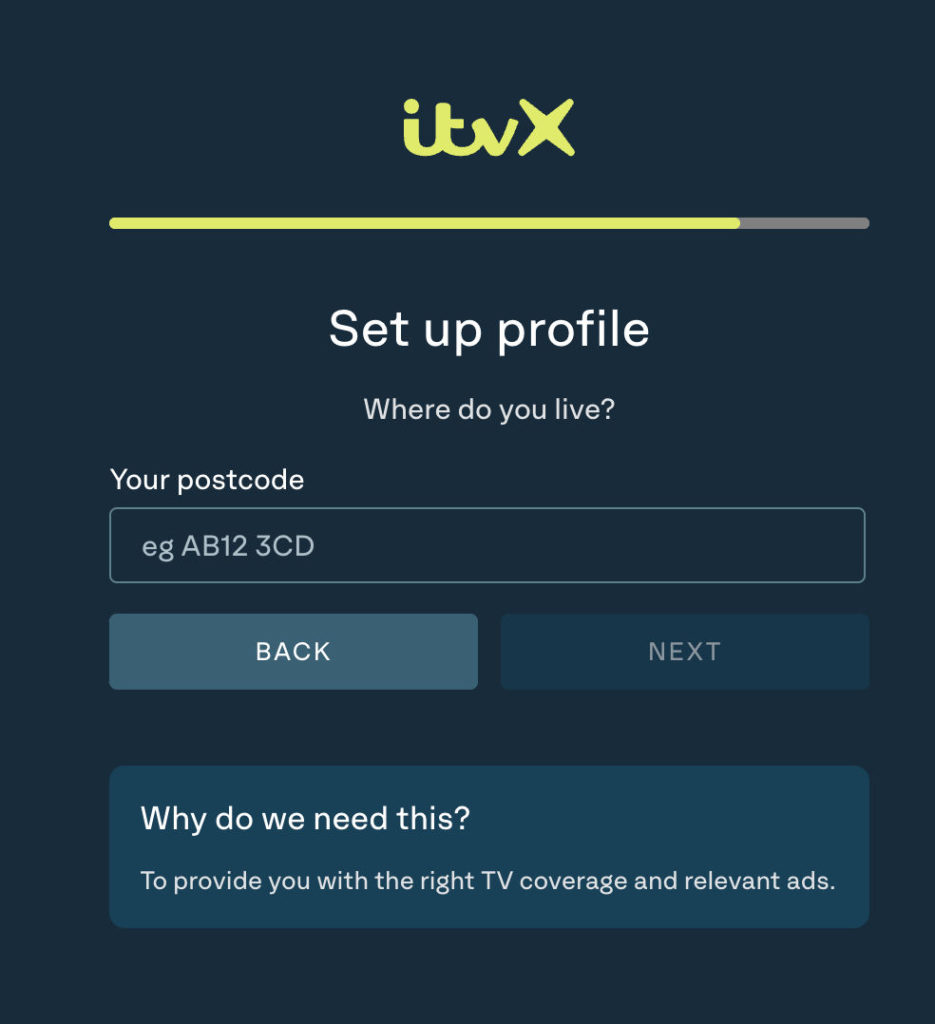
Step 8: Enter UK postal code and click next—I used “E16 2JE.”
Step 9: Choose your plan free or Premium to stream ITVX online.

Best VPNs to Access and Watch ITVX in Canada?


Not every VPN can reliably unblock ITVX. ITVX uses advanced geo-detection that blocks most free and budget VPNs. After testing 15+ VPNs on ITVX from Edmonton, Canada, here are the three that consistently work:
1. ExpressVPN—Best Overall for ITVX in Canada
ExpressVPN is the most consistent performer for ITVX in Canada. Its Docklands server in London is specifically optimized for streaming British content at high speeds.
While testing, speeds barely dropped when switching to a UK server. I streamed in full HD without a single buffer.
- Does ExpressVPN work with ITVX? Yes, consistently without any buffer or poor video quality issues.
- UK servers: London Docklands, East London, and 3 other UK city locations.
- Speed: Fastest tested—ideal for HD and live TV streaming.
- Price: From US$3.48/mo or CA$4.82/mo on the 2-year plan + 4 months free (73% off)
- Risk-free: 30-day money-back guarantee
2. NordVPN—Best Value for Reliable ITVX Access
NordVPN has the largest UK server network of any VPN I tested.
It offers 440+ UK servers, which means you’ll always find a fast, uncrowded connection. It’s excellent value if you want rock-solid ITVX performance without paying premium prices.
- UK servers: 440+ (largest network tested)
- Speed: Excellent and consistent HD streaming with no throttling during tests.
- Extra features: Threat Protection, Double VPN, split tunneling
- Price: From CA$4.29/mo on the 2-year plan (70% off)
- Risk-free: 30-day money-back guarantee
3. Surfshark—Budget Friendly to Watch ITVX in Canada
Surfshark is the most affordable option that actually works with ITVX.
It also offers unlimited simultaneous connections, means your whole household can stream on one account. It’s the best budget pick if cost is your main concern.
- Best for: Budget-conscious users and households with multiple devices
- Devices: Unlimited simultaneous connections
- Price: From CA$2.69/mo on the 2-year plan + 3 months free (87% off)
- Risk-free: 30-day money-back guarantee
Note: Free VPNs will NOT reliably work with ITVX. ITVX actively detects and blacklists free VPN IP addresses. Always use a premium VPN with a money-back guarantee so you can test it completely risk-free.
VPN vs. Smart DNS for ITVX—Which Is Better?
Both VPNs and Smart DNS can unblock ITVX in theory, but they work very differently. Here’s the honest comparison:
| Feature | VPN | Smart DNS |
| How it works | Routes all traffic through a UK server | Only reroutes geo-detection signals |
| Encryption / Privacy | Full encryption | No encryption |
| Effect on speed | Minor dip on slower VPNs | Faster—no encryption overhead |
| Works on Smart TVs? | Via router setup or native app | Native app on most smart TVs |
| ITVX reliability | High: top VPNs stay ahead of blocks | Variable: ITVX often blocks Smart DNS IPs |
| Best for | Most users:-privacy + reliability | Speed-focused users who don’t need privacy |
My Verdict: For most Canadians, a premium VPN is the better choice. ITVX actively blocks many Smart DNS services, while top VPNs like ExpressVPN and NordVPN continuously update their UK server IPs to stay unblocked.
Why Is ITVX Blocked in Canada?
ITVX is geo-restricted to the United Kingdom because of how broadcast licensing works. ITV purchases distribution rights for its shows, movies, and sports specifically for the UK market.
Those licensing contracts legally prevent ITVX from streaming to viewers in Canada, the US, Australia, or anywhere else outside the UK.
When you try to access ITVX from Canada, the platform detects your Canadian IP address and blocks your access—usually showing, “Sorry, this content isn’t available outside the UK.”
The block is entirely IP-based, which is why a VPN that gives you a UK IP address solves the problem completely.
In short, ITVX isn’t blocking Canadians personally—it’s blocking Canadian IP addresses to comply with its licensing obligations.
Why Use a VPN to Watch ITVX in Canada?
A VPN (Virtual Private Network) is the most reliable method to unblock and stream ITVX from Canada. Here’s exactly what it does for you:
| Benefit | What It Means for You |
| Bypasses geo-blocks | Gives you a UK IP address so ITVX thinks you’re in the UK |
| Encrypts your connection | Protects your data on public Wi-Fi-essential for travellers |
| Prevents ISP throttling | Your internet provider can’t slow your streaming speeds |
| Works on all mainstream devices | One subscription covers phone, laptop, Smart TV, and Firestick |
| Unlocks more UK services | The same VPN also works for BBC iPlayer, Channel 4, and Sky Go |
Are ITV Hub and ITVX the same?
Yes, ITV Hub rebranded as ITVX in December 2022.
This means you can still watch all your favourite British shows and movies and ITV channels (ITV, ITV2, ITVBe, ITV3, CITV, and ITV4) for free with ads on ITVX.
And if you want to watch ITV content free of ads, you can opt for ITVX Premium.
Though ITV Hub and ITVX are the same English streaming service, but after the rebranding, ITV offers more original content than ever.
ITVX Free vs. Premium—Which Plan Do You Need?”
ITVX offers two tiers. Here’s exactly what you get with each:
| Feature | ITVX Free | ITVX Premium |
| Cost | Free | £5.99/month (CA$11/mo) |
| Ads | Yes — mid-roll ads | No ads |
| Live TV (ITV1–ITV4, ITVBe, CITV) | ✅ Yes | ✅ Yes |
| On-demand library (15,000+ hours) | ✅ Yes | ✅ Yes |
| ITVX Originals | ✅ Yes | ✅ Yes |
| BritBox content | ❌ No | ✅ Yes (included) |
| Hayu content (reality TV) | ❌ No | ✅ Yes (included) |
| Disney+ titles on ITVX | ✅ Some | ✅ More titles |
| Available in Canada? | ✅ With a VPN | ✅ With a VPN |
My take: For most Canadians, ITVX Free is more than enough. The ad-supported tier gives you full access to live ITV channels and the entire on-demand library. Only upgrade to Premium if you specifically want BritBox content or an ad-free experience.
What Can I Watch on ITVX?
From live TV channels (ITV, ITV2, ITVBe, ITV3, CITV, and ITV4) to on-demand content, there is plenty to watch on ITVX.
Here are some best shows and movies that you can watch on ITVX:
- Mr Bates vs The Post Office
- I Fought The Law
- Celebrity Big Brother UK
- River
- AFTERTASTE
- The Super Mario Bros Movie
- Family Guy
- Cracker
- Vera
- Love Island
- Big Brother
- Little Boy Blue
- Law & Order UK
- The Stolen Girl
- The Vampire Diaries
Can I watch live TV on ITV Hub (ITVX) with free plan?
Yes, you can watch live TV on six different channels, including ITV, ITV2, ITVBe, ITV3, CITV, and ITV4 along with on-demand content on ITV Hub (ITVX).
On what devices can I watch ITVX?
ITVX supports wide variety of devices. Here is the list of devices where you watch ITVX:
- Windows
- MacOS
- Android
- iOS
- Roku
- Amazon Firestick/Fire TV
- Smart TV
- Xbox
- Apple TV
- Nvidia Shield
How to download ITVX app on Android, iPhone, iPad, Samsung Smart TV, and Firestick/FireTV in Canada?
For iOS Users
To download the ITVX app on your iOS (iPhone/iPad) in Canada, you need to change your App Store region to the UK. Here is how you can download ITVX app in Canada on your iOS devices:
- Head to “Settings” on your iPhone/iPad device and tap on your profile.
- Now tap on “Media & Purchases” and then select the “View Account” option.
- Now select “Country/Region” and then tap “Change Country or Region.”
- Select the UK from the list, tap “Agree,” and enter all the required information. Get any random address and postal code from Google.
- Now tap “Next” and wait for the process. Now head to the App Store and download the ITVX app.
For Android Users
Unlike iOS, to download the ITVX app on an Android device, you need first to create the UK Google Play account. Here is how you can download the ITVX app on your Android device in Canada.
- First, open your device to create a new Google account.
- Now enter all the necessary details and choose the UK as your country.
- Once the account is created, connect to the UK server via VPN on your Android device.
- Now open the Google Play Store app, sign out your existing account and sign in with your new account that you just created.
- Now search for ITVX, download the app, and enjoy streaming your favorite content.
Note: Make sure to turn off your location on your both iOS and Android devices before following the above-mentioned steps. Otherwise, it won’t let you change your region.
For Firestick/Fire TV Users
The Amazon Firestick/Fire TV is one of the most popular streaming devices for watching ITVX in Canada. Here’s the step-by-step setup:
- Download and install ExpressVPN from the Amazon Appstore on your Firestick/Fire TV
- Open ExpressVPN and connect to a UK server (London Docklands recommended)
- Go to the Search bar on your Firestick/Fire TV and search for ‘ITVX’
- Download the ITVX app from the Amazon Appstore
- Open ITVX, sign in with your account (or register using the steps above), and start streaming
Note: If the ITVX app doesn’t appear in the Appstore, make sure your Firestick/Fire TV country is set to the UK in your Amazon account settings before searching.
For Samsung TV Users
Setting up ITVX on a Samsung Smart TV in Canada takes a few extra steps compared to a phone or laptop, but it’s straightforward once you know the process:
- Change your Samsung Smart TV’s region to the UK: Go to Settings → General → System Manager → Country/Region → Select United Kingdom
- Restart your Samsung TV after changing the region
- Open the Samsung Smart Hub (App Store) and search for ‘ITVX’
- Download and install the ITVX app
- For VPN connection: Install a VPN on your router (ExpressVPN has a dedicated router app), or use a Smart DNS feature provided by your VPN like MediaStreamer by ExpressVPN
- Open ITVX, log in, and stream your favorite British shows
Note: Smart TVs cannot run a VPN app directly. The easiest solution is to connect your Smart TV to a router that already has a VPN installed, or use your VPN’s Smart DNS feature if it offers one.
ITVX Not Working in Canada? How to Fix it
If ITVX isn’t working even with a VPN connected, don’t panic. Here are the most common issues and their fixes:
| Problem | Most Likely Cause | Fix |
| Still seeing geo-block error | VPN not connected or wrong server | Disconnect and reconnect to a UK server. Try London Docklands. |
| Buffering or slow stream | VPN server is overloaded | Switch to a different UK server—e.g., East London or Manchester |
| ITV error codes (6001, 6006, 3016) | Cached data or outdated app | Clear app cache, update the ITVX app, or reinstall it |
| App not loading on device | ITVX detecting VPN IP | Switch VPN server or try a different UK city. NordVPN/ExpressVPN update IPs regularly. |
| Can’t sign up / postcode rejected | Device location override | Turn off GPS/location services on your device before registering |
| VPN connected but ITVX still blocked | DNS leak exposing real location | Enable your VPN’s DNS leak protection or kill switch and reconnect |
| Logged out unexpectedly | ITVX session expired | Simply log back in with your UK VPN server active |
General Troubleshooting Checklist
- Confirm your VPN is connected to a UK server—not just turned on
- Turn off device GPS/location services before launching ITVX
- Try a different UK server city if your current one isn’t working
- Restart the ITVX app or clear its cache on your device
- Check itvx.com for any known outages or service interruptions
- If all else fails, contact your VPN’s 24/7 live chat support
FAQs
ITVX is not available in Canada due to licensing restrictions. However, you can easily access and watch ITV in Canada by using a secure VPN.
You cannot watch ITV directly on Amazon Prime. However, ITV has its own app, ITV Hub, which you can access separately. To watch ITV content in Canada, you may need a VPN to bypass geo-restrictions and access the ITV Hub app or website.
Yes, ITVX is a completely free-to-watch video service that is available in the UK. However, if you are trying to access it outside UK you need to use a secure VPN with UK IP address to stream ITVX online.
Yes, using a VPN is 100% legal in Canada to watch your geo-blocked content and protect your online privacy. This means there is no legal issue in watching ITVX in Canada with a VPN.
No, ITVX Premium is not available in Canada due to regional content licensing restrictions. However, it can be accessed through a VPN service, such as ExpressVPN, NordVPN and Surfshark, by masking your location to appear as if you are in the UK, where ITVX is available.
Related Articles

How To Watch Mission Impossible in Order in Canada


How to Watch Based on a True Story Season 2 in Canada?

ESPN Plus Not Working? Here’s How to Fix it